
How do I download the Texidium Reader for Android?
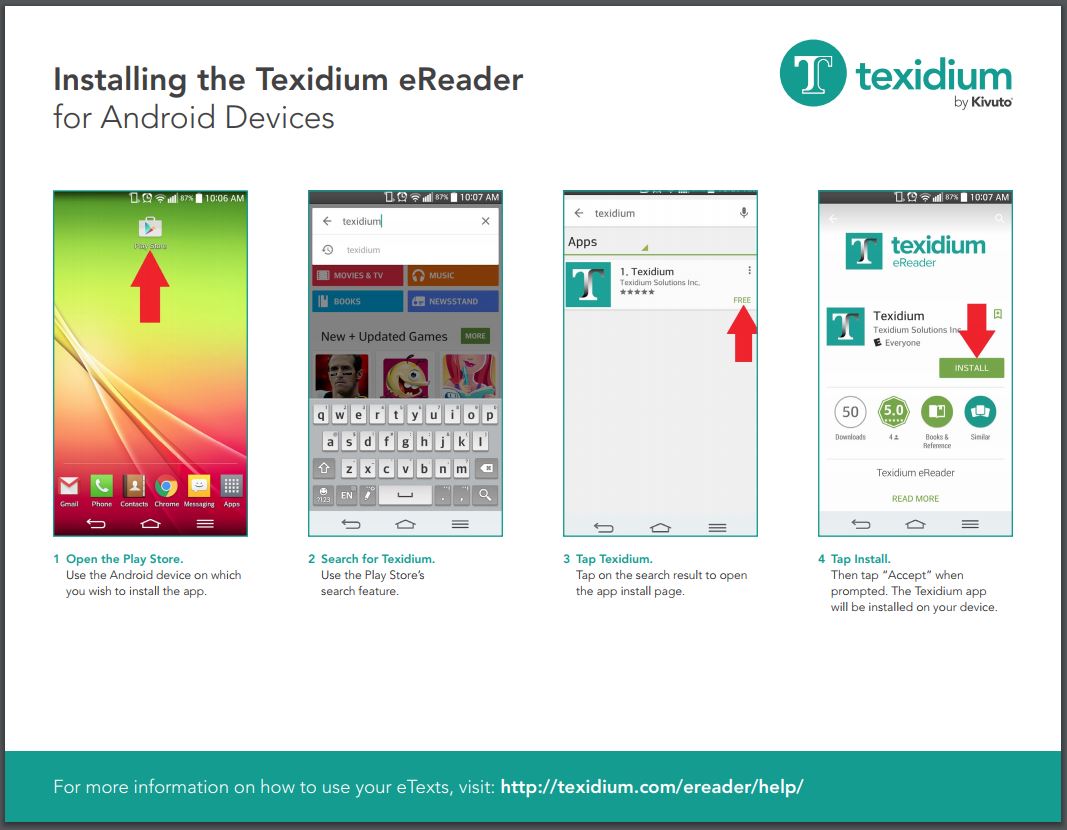
To download the Texidium Reader app for Android:
- Open the Play Store using the Android device on which you want to install Texidium.
- Search for “Texidium”.
- Tap on Texidium.
- Tap the Install button. The app is downloaded and installed to your device.
See the tip sheet below for an illustrated walkthrough of this process.
Installing Texidium for Android