
Getting eTexts using license codes
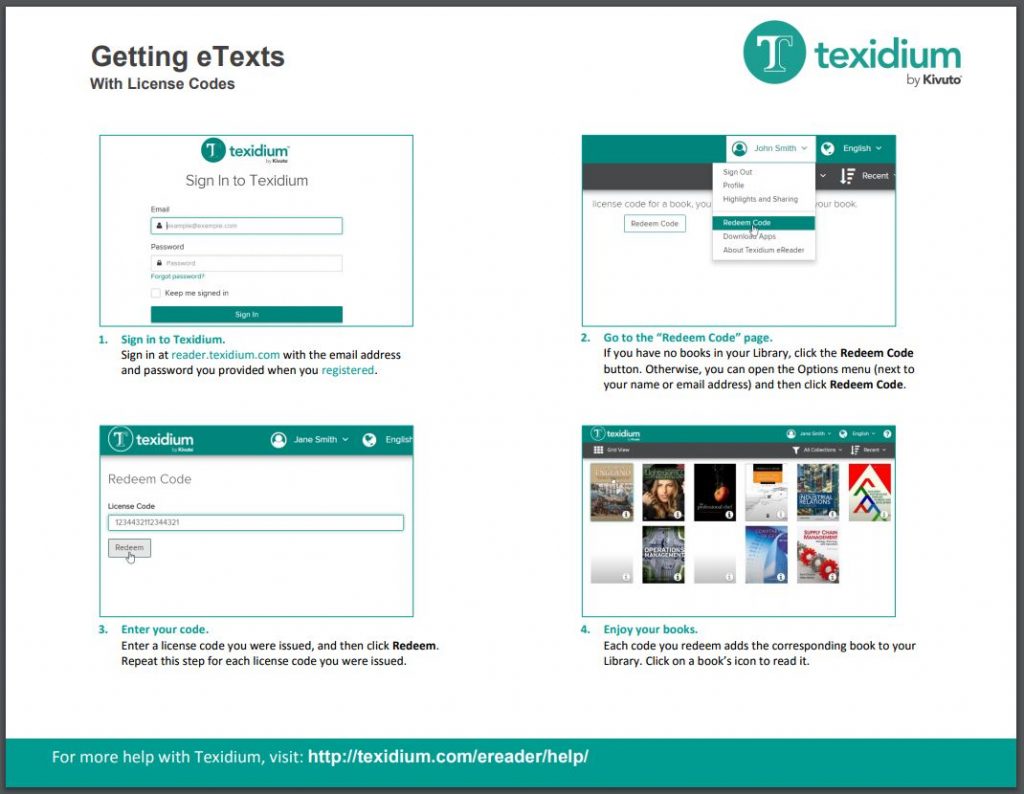
To obtain eTexts by redeeming a license code:
- Sign in to Texidium’s online reader.
Note: You need to create an account before you can sign in or redeem codes.
- In the Options menu, click Redeem Code.
- Enter a license code you were issued and click Redeem.
- Repeat this process with each code you were issued.
See the tip sheet to the right to learn more about redeeming license codes to get books.
Tip Sheet – Getting eTexts with License Codes