
How do I download Texidium apps?
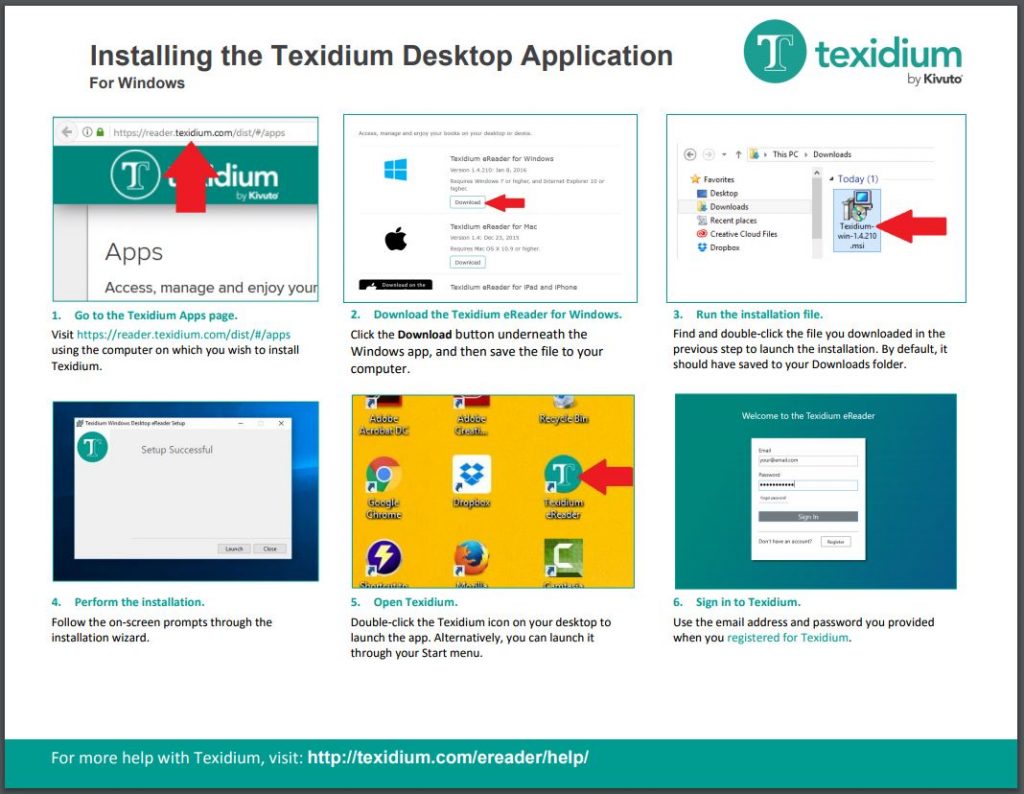
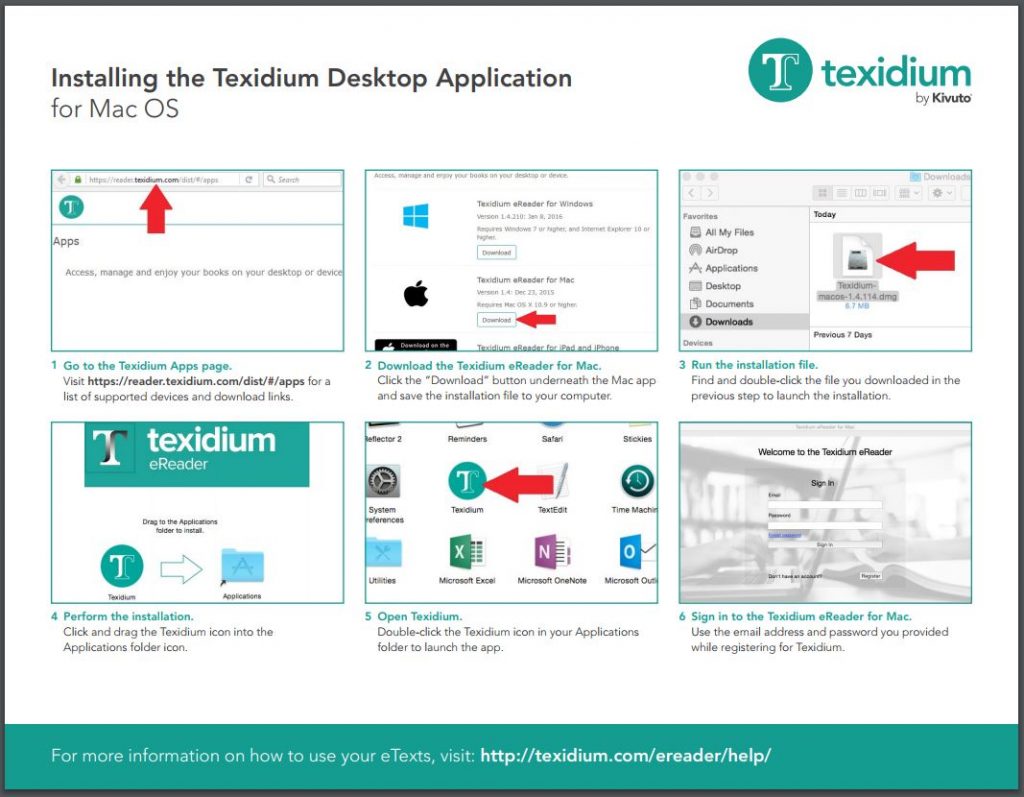
To download the Texidium app for Windows or Mac:
- Go to https://reader.texidium.com/dist/#/apps.
- Click the Download button next to the Texidium app you wish to download (Windows or Mac).
- After the app is downloaded to your device, run the install file to install it.
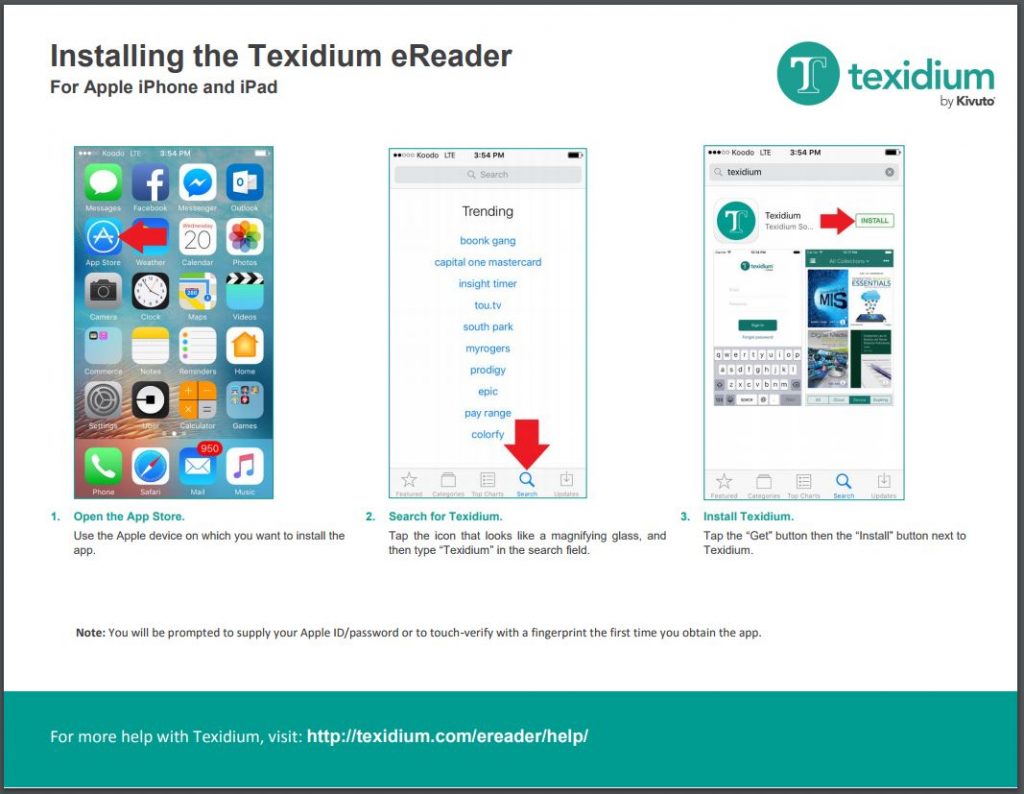
To download the Texidium app for iOS:
- Search for “Texidium” on the App Store using your Apple device.
- Download and install the app.
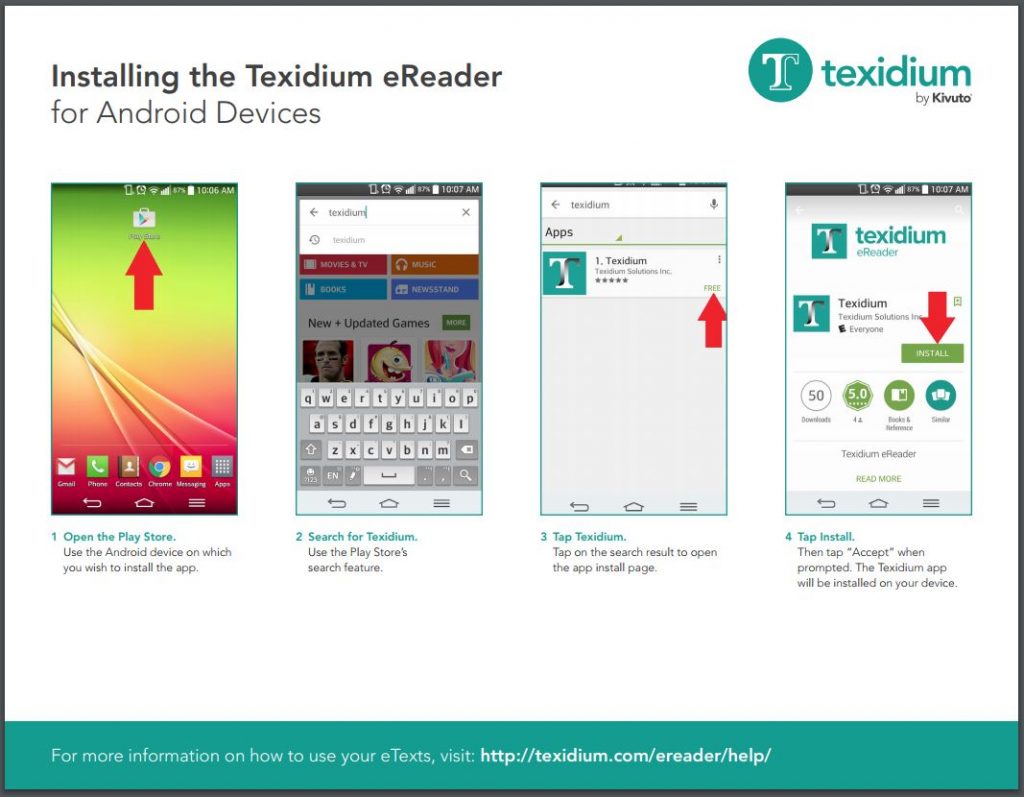
To download the Texidium app for Android:
- Search for “Texidium” on Google Play using your Android device.
- Download and install the app.
See the tip sheets below to learn more about downloading and installing Texidium apps.
Tip Sheets
Find the tip sheet for you device or platform.
Installing Texidium for Windows
Installing Texidium for Mac
Installing Texidium for iOS
Installing Texidium for Android